
Type «DivaSpin APK» into Google and you will get results. Download pages, mirror sites, forum posts with a file attached, a couple of listings promising version numbers and file sizes. None of them come from the operator. We checked the live site on 8 August 2026 and the position is unambiguous: DivaSpin does not publish a native app for Android or iOS. There is no App Store listing, no Google Play listing, and no official download link anywhere in the account area or the footer.
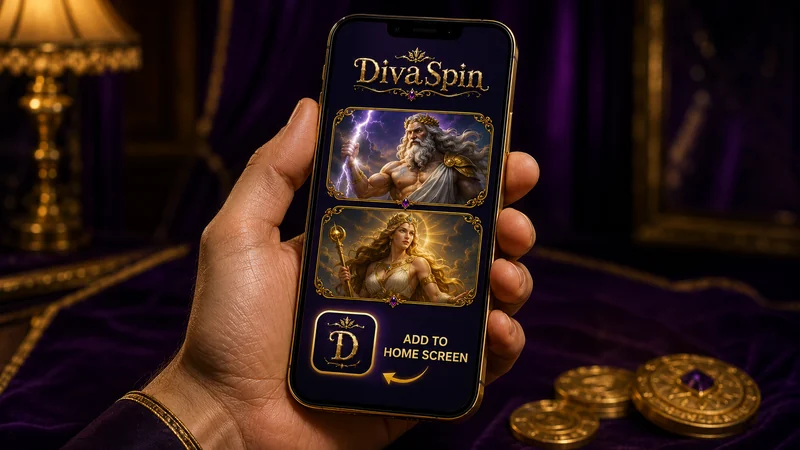
What exists instead is a mobile site built to be used on a phone, plus a Create Shortcut option that drops an icon on your home screen. Tap that icon and the casino opens full-screen with no address bar, behaving close enough to an app that most players stop noticing the difference within a session. This page covers what that gets you, where it falls short, how to set it up on iOS, Android and Samsung Internet, and why a missing store listing is a structural fact about offshore gambling rather than a gap in the product. Want the wider context first, covering bonus terms, payout ceilings and licensing position? Start with DivaSpin Casino at a glance and come back here for the phone-specific detail.
What You Actually Get on a Phone
«No app» does less damage here than it sounds. What loads on a phone is the same platform rendered for a smaller screen, with nothing stripped out of the lobby, and everything that matters to a player is reachable from a handset.
The full game library
All of it. The lobby counters on the day we checked read more than 9,000 titles, including over 8,000 pokies. Nothing is desktop-only. Category shelves like New, Popular, Bonus Buys, Megaways and Jackpots all carry across, though you swipe them sideways instead of seeing seven tiles a row.
Live dealer tables
The Gold Saloon streams to a phone without a separate download. Roulette, blackjack, baccarat and dice, poker, game shows and International Tables all load in the browser. Portrait mode gives you the stream on top and the betting cloth below; rotating to landscape gets you closer to the desktop layout.
The sportsbook
Pre-match, live betting and virtual sports are all mobile-accessible, with the discipline list collapsed into a menu instead of a left-hand column. The bet slip docks to the bottom of the screen and expands on tap.
The cashier
Deposits and withdrawals run in full from the phone, including crypto addresses with QR codes, e-wallet redirects and card entry. KYC document upload is built for a phone camera, which makes it easier than doing it on a laptop.
Support
The 24/7 live chat widget sits in the corner on mobile and opens without logging in. Interface languages, sixteen of them, are switched from the same menu as on desktop.
Account tools
Bonus balance, wagering progress, transaction history, limits and account settings are all in the mobile account area. Nothing about bonus management requires a desktop.
What separates phone from desktop is density rather than capability. Fewer games fit on a screen, the bet slip covers more of your view, and reading a long terms page is less pleasant. On the other side of the ledger, touch controls on pokies beat a mouse comfortably, and live tables in landscape on a modern phone look sharper than they do on an old laptop screen.
Load DivaSpin on Your PhoneCreate Shortcut: Putting DivaSpin on Your Home Screen
The shortcut is the closest thing to installation on offer. It is a browser feature rather than a DivaSpin invention, since every modern mobile browser can pin a website to the home screen, and the casino simply signposts it. What you end up with is an icon among your other apps that opens the site full-screen: no address bar, no tab clutter, no typing the domain each time.
Three routes, depending on the phone in your hand. Do this from the DivaSpin lobby page rather than from a search results page or a redirect, or the icon will point somewhere useless.
iPhone and iPad: Safari
Open DivaSpin in Safari specifically. This is the part people get wrong: on iOS, only Safari can create a working home-screen web app. Browse in Chrome or Firefox on an iPhone and the option is either missing or produces a bookmark that reopens inside that browser instead of standing alone.
Tap the Share icon in the bottom toolbar, the square with an arrow pointing up out of it. Scroll the sheet down past the sharing row until you reach Add to Home Screen. Tap it, edit the name if you want something shorter than the full page title, then tap Add. The icon appears on the last page of your home screen. Opening it launches a full-screen window with no Safari chrome and its own entry in the app switcher.
One iOS quirk worth knowing: the shortcut runs in its own storage context. If you were logged in inside Safari, the shortcut may ask you to log in again the first time. That is normal, and after the first sign-in the session persists like any other app.
Android: Chrome
Open the lobby in Chrome and tap the three-dot menu at the top right. Depending on your Chrome version and how the site is configured, you will see either Add to Home screen or Install app; both do the same job. Confirm the name, tap Add, and either drop the icon manually or let Android place it automatically.
Some Android builds will also throw up a small banner at the bottom of the screen offering to install after a couple of visits. Tapping that banner is the same action as the menu route. Dismiss the banner and it may not return for a while, but the menu path always works.
Android is more generous than iOS here. The shortcut typically inherits your existing browser session, so you often stay logged in from the first tap.
Samsung Internet
Samsung’s own browser ships as the default on Galaxy handsets and does this slightly differently. Tap the three-line menu at the bottom right, choose Add page to, then select Home screen. Older versions of the browser label it Add shortcut and place it directly without the intermediate menu.
If your Galaxy is set up with a Secure Folder, you can place the shortcut inside it. That keeps the icon off the main home screen and behind a second authentication step, which is a genuinely useful arrangement if other people handle your phone.
What the shortcut is, and what it definitely is not
Be clear about what you have just created, because the marketing language around «casino apps» blurs it deliberately. The shortcut is a launcher pointed at a website. It is not a program installed on your device.
The consequences run in both directions. On the upside, it takes almost no storage, it cannot request access to your contacts or your photo library, it updates the instant the operator updates the site, and it disappears completely when you drag it to the bin. The downside: no notifications, nothing at all without a data connection, and no entry in Settings under installed applications, because there is nothing there to list.
Pin DivaSpin to Your Home ScreenShortcut vs Mobile Browser vs Native App: A Straight Comparison
Three columns, one of which does not exist. The native app column stays in deliberately, because it is the thing people are searching for, and setting what it would offer next to what is actually available beats pretending the question never comes up.
| Home-screen shortcut | Mobile browser | Native app (not offered) | |
|---|---|---|---|
| Installation | Three taps in the browser menu. No download, no permissions prompt, no security warning to click past. | Nothing to install. Type the domain or use a bookmark. | Would require a store download or, on Android, sideloading an APK with «unknown sources» enabled, which is the exact habit that gets people infected. |
| Updates | Automatic and invisible. The shortcut loads whatever is live, so you are never running an old build. | Identical: always current. | Manual or store-managed. Out-of-date versions are a standing support problem for operators that do ship apps. |
| Notifications | None. No promo pushes, no «your free spins expire tonight» prompts. | None. | Push notifications would exist, a marketing advantage for the operator and, for a lot of players, a reason to be glad they do not. |
| Storage used | An icon and cached web assets. Negligible, and clearing browser data resets it. | Cache only. | A real install footprint plus cached data that grows with use. |
| Cashier access | Full. Deposits, withdrawals, limits and KYC uploads all work. | Full. Identical cashier. | Would be full, with the added friction of store payment rules on some platforms. |
| Fake APK risk | Zero. There is no file to be tricked into downloading. | Zero, provided you typed the domain correctly. | High in practice. Because no official app exists, every «DivaSpin APK» in circulation is somebody else’s file with somebody else’s motives. |
| Offline use | No. The shortcut opens a blank screen without a connection. | No. | Would still need a connection for real-money play. Nobody’s casino app works on a plane. |
| Removing it | Long-press, delete. Nothing remains on the device. | Delete the bookmark, or nothing at all. | Uninstall, then clear residual data manually if you care about traces. |
Why Offshore Casinos Are Not in the App Store or Google Play
None of this is DivaSpin being lazy. Two rule sets intersect here and leave no door open.
Start with the stores. Both Apple and Google treat real-money gambling as a restricted category rather than an ordinary app. The requirement in each case is the same in substance: the developer must hold a valid gambling licence for every country where the app is distributed, must be the licensed operator or a legal entity acting for one, and must geo-restrict distribution to exactly those approved territories. Approval is granted country by country, never globally. An operator without a licence valid in Australia cannot list an app for Australians, no matter how good the app is.
Now the Australian half. Under the Interactive Gambling Act 2001 (Cth), online casino games such as pokies, roulette, blackjack, baccarat and online poker, along with online in-play sports betting, cannot be licensed in Australia at all. It is an offence for an operator to provide those services to a customer physically located here, and the Australian Communications and Media Authority enforces that against operators. The Act creates no offence for you as an individual player, but it does mean there is no Australian online casino licence in existence for anyone to obtain.
Put the two together and the arithmetic is trivial. The stores demand a local licence, Australia issues no such licence for casino games, and so no offshore casino can list a real-money casino app for the Australian market. That covers DivaSpin and every competitor you are weighing it against. Any site telling you it has an official app on the Australian store is describing a different product, a different country, or nothing real at all.
Worth adding for completeness: ACMA also runs a website-blocking programme aimed at services that breach the Act, and the block list had passed 1,751 sites by June 2026. That carries a direct mobile consequence. A home-screen shortcut is a saved address, and when an address stops resolving, the icon stops working. If your shortcut suddenly loads nothing, the problem is at domain level rather than with your phone.
The «DivaSpin APK» Problem
Since there is no official app, every file advertised as one came from somewhere else. Treat that as the whole argument, because it is.
An Android APK from an unofficial source requires you to disable the protection that stops unknown installers, then grant whatever permissions the package asks for. Casino wrappers are convincing, largely because the easiest way to build one is to load the real site inside a shell, and a wrapper can sit on top of an overlay that captures what you type. Whatever it captures is attached to an account holding your bank card or crypto wallet. That lands somewhere materially worse than a phishing email.
The tells stop being subtle once you know them. A download hosted on a file locker instead of the casino’s own domain. A page listing a version number and a file size with no working link to the operator’s site. Comment sections full of identical praise. A request to disable Play Protect «because the casino is not in the store yet». That is the standard pattern rather than a collection of edge cases.
The safe position is simple: if a download is involved, it is not from DivaSpin. The operator’s mobile offering is a website plus a shortcut to that website, and nothing installs.
Try the Mobile Lobby YourselfPerformance, Data and Battery on a Real Phone
Mobile play carries two costs your desktop session does not: your data allowance and your battery. One factor dominates both, and that is whether you are watching a video stream.
Data use: live tables versus pokies
A pokie loads its graphics and sound once, then exchanges tiny messages with the server: stake in, result out. After the first few spins the ongoing data use is trivial, and if you keep playing the same title, most of the assets are already cached. You can run a long session on very little data.
A live dealer table is a continuous video stream from a studio, and it is the heaviest thing your phone browser will do short of downloading a file. It never stops consuming. A table you leave open while you make a coffee is still pulling video. On a metered plan, this is the one to watch. Check your carrier’s data meter before and after a thirty-minute live session and you will have a number specific to your handset, your connection and your stream quality, which beats any figure we could quote. If the browser offers a lower stream quality, taking it costs you nothing in gameplay. Stick to the full pokies library when you are on mobile data and save Gold Saloon on mobile for when you are on Wi-Fi.
4G, 5G and what the connection really changes
Pokies and the sportsbook run comfortably on a stable 4G connection. 5G makes lobby browsing snappier because tile images arrive faster, though gameplay stays the same, since bandwidth is never the bottleneck on a slot. Connection quality gets felt at the live tables: weak 4G brings buffering, a degraded stream, and occasionally a betting window that closes while you are still watching the previous frame. That last one is the reason to be fussy. Stability matters more than raw speed here, and a steady three bars beats a fluctuating five.
Battery
Streamed video plus a bright screen is a fast way to flatten a phone. Expect a live session to drain noticeably harder than a pokies session of the same length. Aggressive battery-saver modes cut the other way and can throttle background activity enough to interrupt a stream, so if you are playing live, either plug in or turn the saver off. Running both at once is the worst combination.
When the connection drops mid-round
This is the scenario everyone worries about, and the answer is more reassuring than the panic suggests. Game outcomes are decided server-side, not on your handset. A pokie spin you paid for is resolved on the server whether or not your phone is there to watch the reels. Reconnect, reopen the game, and the balance reflects the result. Nothing is lost by the tab closing.
Live tables work the same way with one wrinkle: your bet counts from the moment it is accepted, and the dealer carries on regardless. Drop out after the betting window closed and the hand plays without you, settling normally. Drop out before your bet registered and there is no bet. In-play sports betting is the strictest of the three, since a ticket only exists once it shows as accepted, and an odds change during the drop can void the submission entirely.
The habit worth building: after any disconnection, open your transaction or bet history before doing anything else. It tells you what actually happened, which beats reconstructing it from a balance figure.
Security When the Casino Lives in Your Pocket
A phone is a more exposed device than a laptop for one obvious reason: it leaves the house, and other people pick it up.
Lock the handset properly. A PIN, pattern or biometric lock is the layer that matters most, because it is the one standing between a lost phone and a funded gambling account. A home-screen shortcut makes the account one tap from the lock screen, which is convenient for you and equally convenient for whoever finds the phone on a train seat.
Do not save the password in a browser on a shared device. Family tablets, a partner’s phone, a work handset, anything more than one person touches. Browser-saved credentials are readable by anyone already past the device lock, and on a shared device that means everyone in the household. If you must play on a device that is not exclusively yours, use a private browsing window, log out at the end, and skip the shortcut entirely.
Public Wi-Fi deserves a caveat rather than a ban. The connection to the casino is encrypted, so a café network cannot read your traffic in transit. What a hostile network can do is redirect you to a lookalike domain, which is a real risk when you are typing an address on a small keyboard. Two defences: use the shortcut instead of typing anything, and prefer mobile data over unknown public Wi-Fi for cashier operations specifically. Depositing or withdrawing over an airport network is a bad habit even if the odds of it going wrong are low.
Autofill is your friend. Storing the password in the operating system’s password manager, whether that is Apple’s Passwords or Google Password Manager, and releasing it with Face ID or a fingerprint gives you strong, unique credentials without typing them on a phone keyboard. Note that this is your phone’s biometrics protecting your password vault, rather than the casino offering a biometric login. We could not confirm any biometric or two-factor login option inside the DivaSpin account area, so treat it as absent until the operator says otherwise.
The Mobile Cashier: Depositing, Withdrawing and Uploading ID
Everything money-related works from the phone. The constraints are the same as on desktop, because they are account rules rather than screen-size rules, so the mobile-specific advice comes down mostly to doing things in the right order.
The minimum deposit is A$30, and that figure doubles as the threshold for each welcome-package stage. For Australians the fast rails are crypto and e-wallets. PayID is not available at DivaSpin, and POLi has not operated in this country since September 2023, so anyone listing either as a DivaSpin method is working from stale information. Cards are worth trying only if you already know your bank lets gambling transactions through, since Australian issuers decline them routinely. The full breakdown of mobile deposit options covers which rails clear fastest and what each one costs you in waiting time.
On withdrawals, the ceilings are the thing to plan around: A$800 per day and A$10,500 per month. Crypto and e-wallet payouts start from around 45 minutes once the account is verified and the request approved; cards and bank transfers sit in a 24 to 72 hour window after approval. Your first withdrawal is slower than the rest, every time, because that is when KYC happens.
Photographing your ID properly, first time
This is where the phone genuinely beats the laptop. You already have a camera, and you are not scanning anything. Get it right in one pass and you remove days from your first payout.
- All four corners inside the frame. A cropped edge is the most common rejection reason there is. Leave a margin of background around the document.
- Natural light, no flash. Flash on a laminated licence produces a white blowout across exactly the part the reviewer needs to read. Put the document on a dark, matte surface near a window.
- Flat and square-on. Shoot from directly above, not at an angle. A curved page or a keystoned photo can fail automated checks before a human ever sees it.
- Colour, full resolution, straight from the camera. Not a screenshot of a photo, not a scan converted to black and white, not something compressed by a messaging app.
- Check the text is legible on your own screen first. Pinch to zoom on the document number and the expiry date. If you cannot read them, neither can the reviewer.
- Names must match exactly. The account name has to match the document, and the payment method has to match both. Middle names, hyphens and maiden names cause more delays than fuzzy photos do.
Not opened an account yet? The whole flow, meaning the form, the first deposit and the document upload, runs from a handset without touching a computer. Our guide to signing up from your phone walks through it and explains why uploading ID immediately, rather than at your first cashout, is the single highest-value thing you can do on day one.
Open the Cashier on MobileWhat Mobile Play Does Not Give You
Now the shortfall, stated plainly, because a page about a casino’s app that never says a negative word is worth nothing to you.
There is no offline mode. The shortcut is a launcher rather than a self-contained program. Without a connection it opens a blank screen. Some progressive web apps cache enough to show a holding page when the network drops; we did not see that behaviour here, and in any case no real-money game can be played offline, so this matters mainly for how gracefully the site fails.
There is no biometric login. We could not confirm a fingerprint or face unlock option inside the account, nor a two-factor setting. Until the operator states otherwise, assume neither exists and cover the gap at device level: a strong unique password stored in your phone’s password manager, released by biometrics that belong to the phone rather than the casino.
There are no push notifications. No app means no store push channel, and a home-screen shortcut does not create one. You will not be told when free spins land, when a reload window opens, or when a bonus stage is about to expire, which matters, because welcome stages run on a 10-day clock. Promotions have to be checked manually, or caught by email if you have opted in. Plenty of players will count that as a feature.
The 35x wagering and the A$7.50 max-bet cap follow you onto mobile. Nothing about the smaller screen changes bonus terms, and it is easier to breach the stake cap by accident on a touch interface where the bet buttons sit close together. Check the stake before you tap, especially after switching games.
Reading long documents on a phone is unpleasant. Terms, bonus conditions and the withdrawal policy are all readable on mobile but genuinely easier on a bigger screen. If you are going to read the fine print properly, and you should, once, do it on a laptop.
Live tables in portrait are a compromise. The stream shrinks to make room for the betting cloth, and on smaller handsets the side-bet options get cramped. Landscape fixes it, at the cost of the on-screen keyboard being awkward if chat is open. Follow mobile in-play wagering as well and the same trade-off applies to the live sports interface, which carries more markets than fit comfortably in portrait.
Take DivaSpin With YouFAQ — DivaSpin on Mobile
Is there a DivaSpin APK to download?
No. DivaSpin does not distribute an Android package file, and there is no download link anywhere on the operator’s site. Any APK presented as DivaSpin’s came from a third party with no relationship to the brand, and installing it means disabling Android’s protections and handing an unknown package the permissions it asks for, on the same device where your casino balance and payment methods live. Use the mobile site and the home-screen shortcut instead. An APK gives you nothing the shortcut does not, other than risk.
Does DivaSpin have an iPhone app?
No. There is no DivaSpin listing in the Australian App Store, and there cannot be one: Apple requires a real-money gambling developer to hold a valid licence in each country where the app is distributed, and Australia does not issue licences for online casino games to anyone. On iPhone, open the site in Safari, use Share then Add to Home Screen, and you get a full-screen icon that behaves like an app for practical purposes.
Is DivaSpin’s mobile site safe to use?
The connection itself is encrypted the same way the desktop site is, and using a shortcut you created yourself removes the main mobile-specific risk, which is mistyping a domain and landing on a lookalike. The bigger variables are your own: lock your phone, do not save the password in a browser on a shared device, and do cashier operations on mobile data rather than an unknown public network. Separately, and this is not a mobile issue but it is a real one, DivaSpin is an offshore operator, so Australian consumer protections and Australian dispute resolution do not cover your account balance or your bonus terms.
Can I claim the welcome bonus playing on mobile?
Yes. The bonus mechanics are account-level rather than device-level. Deposit from the phone, opt in at the cashier, and the stage applies exactly as it would on desktop: minimum A$30 per stage, 35x wagering on bonus plus deposit, a A$7.50 stake cap while a bonus is active and 10 days to clear each stage. The one mobile caution is that stake cap. It is easy to nudge a bet size up by accident on a touchscreen, and breaching the cap can cost you the bonus.
Why don’t more offshore casinos have native apps?
Because the app stores gate real-money gambling on local licensing, and Australia has no licence available for online casino games. Apple and Google both require the developer to hold a valid gambling licence for each territory of distribution and to geo-restrict accordingly. An offshore operator cannot produce an Australian casino licence because none exists, so the listing cannot be approved. The obstacle is legal rather than technical, which is why the entire offshore sector runs on mobile web instead.
Does the home-screen shortcut update itself?
Yes, automatically and without you doing anything. The shortcut points at the live site, so whatever the operator deploys is what you see the next time you open it. There is no version to fall behind on and no update to install, which is one of the few areas where the shortcut genuinely beats an app. The flip side is that if the address itself ever changes or stops resolving, the icon will load nothing, and you will need to create a fresh shortcut from the current lobby page.
About this review
The DivaSpin AU editorial team checked this page against the live DivaSpin site in August 2026. We opened the lobby on a handset, walked the mobile cashier and the live tables, tested the Create Shortcut flow on iOS Safari, Android Chrome and Samsung Internet, and searched the App Store, Google Play and the open web for any official DivaSpin application — there is none, and we say so rather than fill the gap with an invented download. Where a feature could not be confirmed, such as biometric login, we have marked it as unconfirmed instead of guessing. Updated August 2026.
18+ only. Gambling can be addictive — play responsibly. Support: Gambling Help Online or the national self-exclusion register BetStop.